Assignments
Codecademy – Week 6 (02/27/2017)
The PHP tutorial on Codecademy introduced me to the fundamentals of PHP server-side scripting. The crucial difference between server-side scripting and client-side scripting is that server-side scripting runs on the same server that hosts the web page–that is, it "has access to all the information and files on that machine, which allows it to construct custom HTML pages to send to your browser, handle cookies, and run tasks or perform calculations with data from that website" (Codecademy). This dramatically increases the possibilities of what a web page can do. With PHP, pages are no longer constrained to an isolated, static state.
Although the tutorial provided no examples of practical PHP implementation in real-world websites, its unwavering focus on the syntax, functions, and object-oriented programming components of the language has equipped with me with sufficient knowledge to view, understand, and debug basic PHP code.
Interestingly, the tutorial also inadvertently served as a programming refresher for me because PHP's syntax is very C-like. Printing, commenting, creating variables, creating arrays, creating functions, using arithmetic, using logical operators, and looping in PHP all share many similarities to C and other C-like languages.
Below are the Codecademy achievement badges I earned for completing all of the PHP lessons (click thumbnail to view full size image).

PHP and MySQL for Dynamic Web Sites – Week 6 (02/27/2017)
The first three chapters of PHP and MySQL for Dynamic Web Sites, Fourth Edition by Larry Ullman review a large portion of the materials already covered in the previous Codecademy tutorial but also present some new, practical ways of looking at PHP and its role in expanding the capabilities of HTML web pages. Multiple example scripts are used in each chapter's lessons, which I was able to easily follow along with the step-by-step instructions provided.
More information on each chapter, as well as selected example scripts, may be viewed below.
Chapter 1: Introduction to PHP
The first chapter is a refresher on the fundamental aspects of PHP, like general syntax, comments, variables, strings, numbers, constants, quotation marks, and concatenation.
An example that illustrates the difference in using single quotation marks versus double quotation marks in PHP may be previewed below or viewed in a separate tab/window here.
Example
In PHP, variables in single quotation marks are treated literally, whereas those in double quotation marks are interpreted. Here, the first set of variables are enclosed in double quotation marks, so the values of the variables are printed. The second set of variables, however, are enclosed in single quotation marks, so the names of the variables and all escape sequence text are printed.
Chapter 2: Programming with PHP
The second chapter teaches readers how to create HTML forms with corresponding PHP scripts that can receive data from the forms, thereby allowing some level of data processing and user interactivity with a page. With the use of conditionals and operators, any received data can also be validated. On a separate note, the chapter also introduces a third variable type–arrays–and shows how large sets of data can be manipulated with loops.
An example that highlights the multiple facets of arrays may be previewed below or viewed in a separate tab/window here.
Example
Arrays in PHP may have custom keys assigned for each value, instead of using the default indexing. Also, a foreach loop may be used to cycle through the array and print the keys and values of every element. Furthermore, arrays may be manipulated by using sort and reverse-sort functions. In the example below, movie titles and their assigned ratings make up an array, which is printed in its default state. The array is then sorted and reverse-sorted and printed using foreach loops. For a larger set of data, this way of printing would obviously save a lot of time and dramatically reduce code required to manually print multiple variations of the same information.
Chapter 3: Creating Dynamic Web Sites
The third chapter explains using the include function, using a conditional to create a single page that can display and handle a form, creating sticky forms that retain information for resubmission, and creating functions. This effectively builds on the ideas presented in Chapter 2 and shows more of the possibilities of dynamic page design.
An example that demonstrates the usefulness of the include function in site design may be previewed below or viewed in a separate tab/window here.
Example
The include function may be used to insert code from a separate file into the file where the include function is called. Because websites often have multiple pages that share identical elements, it may be prudent to use the include function to insert large blocks of repeating code. This serves several purposes: (1) it saves time, (2) it makes code easier to read, and (3) it allows existing pages to be more easily maintained.
Here, an include function is used to insert the header and the footer, which both exist as separate files (header.html and footer.html). Although not much is gained from coding a single page this way, there may be considerable value in implementing this for a site with numerous pages that use the header and footer. Assuming text in the header and footer need to be changed at some point in the future, changes only to two files–the header and footer files–will need to be made. On the other hand, if the include function were not used and the header and footer were separately coded into every required page, then any modification would necessitate changes for every single page with a header and footer. For a small site with a few pages, that may pose a minor nuisance; for a large site with hundreds of pages, that would likely be disastrous.
Eli the Computer Guy: PHP Programming – Week 7 (03/06/2017)
The YouTube series on PHP programming by Eli the Computer Guy provides a virtual classroom to learn the basics of PHP. All video lectures begin with a short introduction, in which Eli discusses the broad concepts and importance behind the topics of the lecture. Then, a general overview follows, in which explanations of the topics are roughly laid out on a whiteboard. Afterward, the lecture moves to a hands-on demonstration on an actual computer, where all of the coding takes place. Finally, the lecture wraps up by briefly reviewing the materials covered and frames them in terms of their value in real-world applications.
Notably, the real-world approach of the video lectures was useful in demonstrating practical implementations of PHP in websites, and it helped put into perspective many of the academic lessons from Codecademy, which by themselves often seemed disjointed, theoretical, or abstract.
More information on each of the six video lectures on PHP programming, as well as the corresponding discussion questions and example code for each part, may be viewed below.
Part 1: Introduction to PHP Programming
In this introductory lecture, Eli the Computer Guy discusses what PHP is, why it is useful, and what is necessary to run it.
My answers to the discussion questions may be viewed below the video.
Additionally, I have provided a sample PHP script that uses the phpinfo function to display PHP configuration information, which may be previewed below the discussion questions or viewed in a separate tab/window here.
Discussion Questions
1. How does Eli describe PHP?
He describes it as "the programming language that makes websites useful." It promotes dynamic sites by allowing end-users to interact with, access, and write data.
2. Briefly compare and contrast scripted and compiled languages.
Compiled languages (e.g., C++) involve coding with text, running the text through a compiler, and turning it into executable code. The executable cannot be directly edited. Scripted languages involve coding with text, running the text through an interpreter, and delivering content to end-users on the fly via the interpreter.
3. Briefly explain the difference between client-side and server-side scripting.
Server-side scripting, like PHP, takes a request from the end-user, runs the script on the server, creates the visible HTML output, and sends back only the relevant result to the end-user. Client-side scripting, like JavaScript, sends the entire program to the end-user, and the program is run on the end-user's computer.
4. What popular website does Eli cite as an example of what you can do with PHP and MySQL? Why did Eli that that this particular site was a good example?
Eli cites Craigslist. He cites it because although it is a very bare-bones site as far as appearance is concerned, it is nonetheless a very powerful one by relying on PHP and MySQL.
5. What does Eli emphasize as the 'nice' thing about scripted languages such as PHP?
The source file can always be written and read as plain text. Also, PHP allows users to obtain configuration information from the server.
6. What is notepad++? Why would Eli recommend notepad++?
Notepad++ is essentially normal Notepad with a few additional features. Notepad++ is sufficient for small scripts. Notepad++ can be configured to connect directly to a web server and upload scripts via FTP. Furthermore, Notepad++ has numbered lines, which allows for easier debugging when referencing error messages.
7. If you want to write and run PHP code, what do you need?
Write the scripts with a text editor. Connect your computer to a web server that has a PHP interpreter installed. Upload the scripts to the web server and access it with your computer. Consult a good reference book when necessary.
8. How does Eli describe syntax?
Syntax is "how you spell the commands" of the language.
Example
This sample PHP script uses the phpinfo function to display PHP configuration information.
To view the page in a separate tab/window, please click here.
Part 2: PHP Syntax and Errors
In this lecture, Eli the Computer Guy talks about PHP syntax and error-handling techniques.
My answers to the discussion questions may be viewed below the video.
Discussion Questions
1. In a Linux context, does capitalization matter?
Yes, Linux is case-sensitive--that is, test.php is different from Test.php and TEST.php.
2. What are the basic attributes of PHP syntax?
PHP syntax calls for proper opening and closing (e.g., opening and closing with php tags; opening and closing with quotation marks). It also requires a semi-colon to end all statements.
3. Discuss one of the PHP error handling techniques that Eli presents.
If an error in syntax is encountered when the script is run, an error message will output, showing the name of the file and the line in which an error has been detected.
4. What is the difference between printing text and printing HTML?
PHP prints in text, but web browsers read in HTML. Depending on the output, there may be differences in appearance in text format versus HTML format (i.e., what you see in the text source code versus what you see in a browser). This is evident when a newline escape in PHP does not show in a browser due to the missing necessary HTML tag.
5. What happens if you add a PHP script to an HTML page and you don’t change the file type to .php from .html?
The web server will read the file as pure HTML. The script will not be passed through the PHP interpreter.
Part 3: Comments and INCLUDE in PHP Programming
In this lecture, Eli the Computer Guy goes over how and why to write comments and how to use the include function to cut down on repetitive code.
My answers to the discussion questions may be viewed below the video.
Additionally, I have provided sample source code that demonstrates the use of the include function, which may be viewed below the discussion questions.
Discussion Questions
1. What are the three ways that you can make comments in PHP?
You can use '#' or '//' for single lines, or you can use '/* */' for multiple lines.
2. What is the PHP include function? Why is it useful?
The include function takes all of the text from an external file and inserts it where the function is called. It can be useful for inserting code that is frequently repeated, thereby allowing the coder to avoid having to type the same code over and over again. This also promotes modularity, which makes code much cleaner.
Example
The include function allows the insertion of code from an external file wherever the function is called. As previously discussed in the discussion questions, this allows (1) coders to avoid having to retype repeating code, (2) code to be more readable, and (3) code to be more easily maintained.
Below are screenshots of the source code that demonstrates the use of the include function (click thumbnails to view full size images). Although this particular example is very simplistic, the same idea can be applied to something more useful, such as for repeating menu bar code.
The file displayed below is 'example3.php'.

On line 3, it calls the include function and references 'example3-include.php' as the external file, meaning the code in that file will be inserted into 'example3.php' at the place where the function is called.
The file displayed below is 'example3-include.php'.

The output that the end-user sees in his browser is displayed below. As you can see, the code from 'example3-include.php' has been inserted into 'example3.php' where the include function is called. From the end-user's perspective, there is no difference in appearance than if the code had all come from a single file.

Part 4: Variables in Print in PHP Programming
In this lecture, Eli the Computer Guy explains what PHP variables are and how they are used. He also illustrates the difference in printing new lines in PHP versus HTML.
My answers to the discussion questions may be viewed below the video.
Discussion Questions
1. What are the three types of PHP variables that Eli discusses?
The three types discussed are strings, numbers, and arrays.
2. What naming rules apply to PHP variables?
The dollar sign signals a variable (e.g., '$variable'). Variables are case-sensitive. Names may begin with a letter or underscore but not a number.
3. Compare and contrast the html <br> tag in HTML and the \n in PHP.
Both the '<br>' tag and '\n' escape sequence are intended to create a new line. However, only text readers recognize the escape sequence to signify a line break, and only web browsers recognize the '<br>' tag to signify a line break. Thus, if a PHP script has a string with '\n', when the server runs the script and sends the HTML to be output to the end-user, the end-user will not be able to see a line break in his browser. However, if he views the page source in a text editor, he will be able to see it. Conversely, if a PHP script instead has a string with a '<br>' tag, the end-user will be able to see a line break in his browser but will not see a line break in the page source in a text editor, just the tag itself.
Part 5: HTML Forms and PHP Programming
In this lecture, Eli the Computer Guy shows how to create a form on an HTML page that takes the data from a user's input and sends it to a PHP script for further processing. By reading and accessing data this way, the page can be considered dynamic.
My answers to the discussion questions may be viewed below the video.
Also, I have created a sample page based on the lecture's demonstration, which may be previewed below the discussion questions or viewed in a separate tab/window here.
Discussion Questions
1. What does it mean when Eli says that HTML creates static pages while PHP creates dynamic pages?
PHP creates dynamic pages in the sense that it allows information to be read from and written to different sources. HTML creates static pages in the sense that nothing else occurs beyond viewing the page in its displayed state.
2. In this exercise, you will use an HTML Textbox, an Option Box, and a Radio Button. What function does each of these input methods provide?
A text box allows the entry of any text (e.g., a name or email address). An option box allows selection from a given number of choices in a dropdown menu (e.g., small, medium, or large). A radio button also allows selection from a given number of choices (e.g., male or female).
Example
This sample page uses an HTML form to accept input from a user. The user can type his name in the Name text box, select a size from the option box, and click on the radio button for his gender. After the user clicks the Submit button, the data is passed to a PHP file for further processing. In this case, the PHP script simply prints the summarized data submitted from the form.
To view the page in a separate tab/window, please click here.
Part 6: Printing to Files with PHP
In this lecture, Eli the Computer Guy continues to explore dynamic pages by demonstrating how to create a form on an HTML page that takes the data from a user's input and sends it to a PHP script, which then writes that data to a file.
My answers to the discussion questions may be viewed below the video.
Also, I have created two sample pages based on the lecture's demonstrations. The first page takes email addresses entered from an HTML form and sends them to a PHP script that writes those email addresses to an HTML file. That example may be previewed below the discussion questions or viewed in a separate tab/window here. The HTML file that is written to may be viewed in a separate tab/window here.
The second page similarly takes names and email addresses entered from an HTML form but sends it to a PHP script that writes that data to a CSV file. That example may be previewed below the first example or viewed in a separate tab/window here. The CSV file that is written to may be downloaded here.
Discussion Questions
1. In this example, you use the PHP file_put_contents() function. Briefly describe this function. Hint: Consult W3Schools or the PHP manual.
The file_put_contents function takes four parameters (first two required, last two optional) and writes a string to a file. The first parameter specifies the file to be written to. The second parameter specifies the data to be written. The third parameter specifies how to open/write to the file. The fourth parameter specifies the context of the file handle.
Source: W3Schools
2. What is a CSV file? Why would you want to use one?
A CSV file (Comma-Separated Values file) is a file with data delimited by commas. They can be opened by spreadsheet software to be further manipulated. Each delimited item is imported as a cell.
Example #1
This example takes email addresses entered from an HTML form and sends them to a PHP script that writes those email addresses to an HTML file called 'file.html'. The PHP script will continually append email addresses submitted through the form to 'file.html'.
To view the page in a separate tab/window, please click here. The HTML file that is written to may be viewed in a separate tab/window here.
Example #2
This example takes names and email addresses entered from an HTML form and sends it to a PHP script that writes that data to a CSV file called 'file.csv'. The PHP script will continually append names and email addresses submitted through the form to 'file.csv'. The advantage of the CSV file is that it may be opened by spreadsheet software (e.g., Microsoft Excel), and the data will be neatly formatted as cells.
To view the page in a separate tab/window, please click here. The CSV file that is written to may be downloaded here.
PHP Manual: A Simple Tutorial – Week 8 (03/13/2017)
The first four sections of "A Simple Tutorial" from the PHP Manual reinforce some of the basic concepts already introduced in previous assignments. The first section, "What Do I Need?," provides a brief overview of what is necessary to support PHP, namely server requirements. The second section, "Your First PHP-Enabled Page," uses a short, simple script to illustrate PHP syntax. The third section, "Something Useful," shows off examples using variables, functions, and control structures. The fourth section, "Dealing with Forms," revisits Eli the Computer Guy's HTML form lessons from the previous assignment and shows how to make HTML form data available for PHP scripts.
It is worth noting that the PHP Manual is an excellent resource for all functions of the language. It describes the purposes of functions, details their availability in particular PHP versions, addresses the arguments that they take, and explains the values that they return.
The example from "Dealing With Forms" may be previewed below or viewed in a separate tab/window here.
Much like in the previous assignment, the example shown in "Dealing with Forms" is extremely simple, but it nonetheless reveals the possibilities of making pages dynamic by using PHP. Although this example only retrieves the information entered by the user and prints it, one can imagine how the script could be written to do much more. For example, the script could conceivably be changed to additionally write the data to a file, like in Eli the Computer Guy's examples. This example also shows that PHP is also capable of validating the form data, using functions like htmlspecialchars.
W3Schools – Week 8 (03/13/2017)
The PHP tutorial on W3Schools served as a comprehensive review of all of the PHP materials and information I have learned up to this point in the course, including but not limited to server requirements, syntax, variables, constants, superglobals, operators, loops, functions, arrays, forms, and file handling. Together, these server-side scripting elements permit sites to respond uniquely to end-users and for end-users to interact with sites.
Although most of the lessons covered material already found in other assignments, a few lessons presented alternative ways of doing things, such as using the define function instead of const for creating constants. Additionally, the tutorial on W3Schools provided useful tips for the usage of various elements and also pointed out important details or distinctions that have been overlooked by the teaching materials from previous assignments.
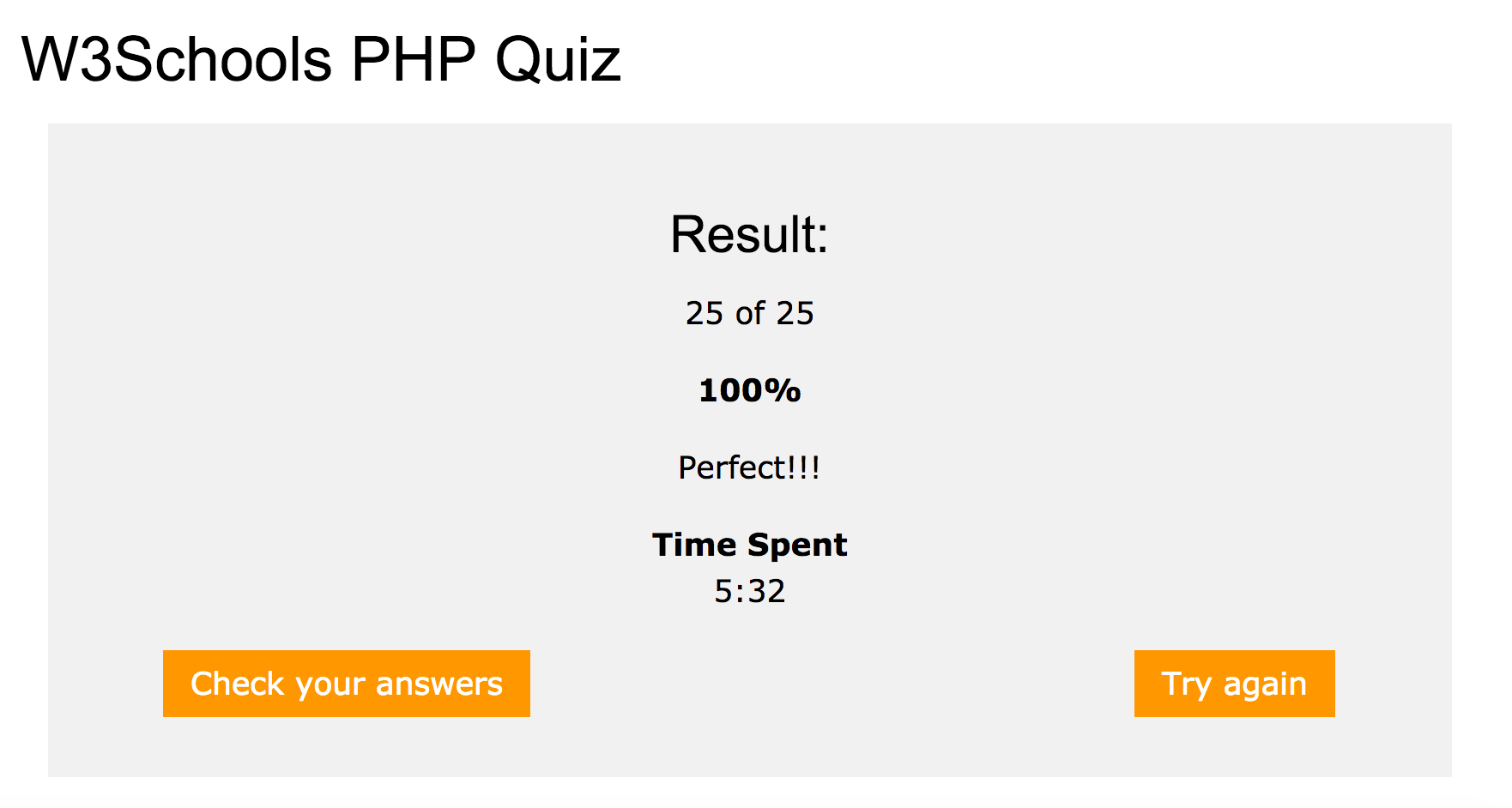
Below is the result from the W3Schools quiz, which demonstrates that I possess basic knowledge of PHP (click thumbnail to view full size image).